Skip to content
NEWOpen source · Mac (Linux + Windows soon) · 100% free, forever

Give your AI the keys to your browser.

Sessionat is a free, open-source Mac browser. Connect Claude, Cursor, or any AI assistant through MCP and it drives your real browser, using the accounts you are already signed into. And it auto-saves every tab, so you never lose your place.

Connects to Claude, Cursor & more
Auto-saves every 30s
No account needed

Connects to the AI tools you already use

ClaudeClaude
ChatGPTChatGPT
CursorCursor
VS CodeVS Code
WindsurfWindsurf
ClineCline

Any client that speaks MCP works. Connect once, grant access, and go.

AI control via MCP

Connect your AI once. It drives your browser.

Sessionat speaks MCP, the open standard your AI tools already support. Connect Claude Desktop, Cursor, or your own scripts, and your AI can work the web for you, right in the browser where you are already signed in.

  • Click any button or link, and type into any field, including rich editors like Google Docs and Notion
  • Open, switch, and close tabs, and navigate anywhere, just like you would
  • Read the page and take screenshots so your AI knows what it is looking at
  • Search your local visit history: “find that article I read last Tuesday”
  • Read-only by default. You grant write access per AI client and can revoke it anytime
  • Runs on your own AI subscription, with no per-action fees from us
What your AI can do for you

Your accounts. Your AI. Your time back.

Because it runs your browser on your logins, your AI can run real errands on the accounts you already own. No new logins, no copy-pasting between tools.

Stay active on Reddit, X, LinkedIn

Your AI reads the communities you care about, drafts replies in your voice, and posts from your own account while you are away from the desk.

SOCIAL

Buy from any store

“When this is back in stock, order three.” Your AI watches, adds to cart, applies the coupon, and checks out using your real account.

SHOPPING

Draft docs, reply in Slack, open PRs

“Draft the Q3 report from these notes” actually lands in your Drive. No special integration per app, because it uses the same web UI you do.

WORK

Watch it work. Or don’t.

Sessionat is a normal Mac window. Pin it to a second monitor and watch the AI navigate in real time, or close the lid and let it run.

WATCH
Auto-saved sessions

Never lose a tab again.

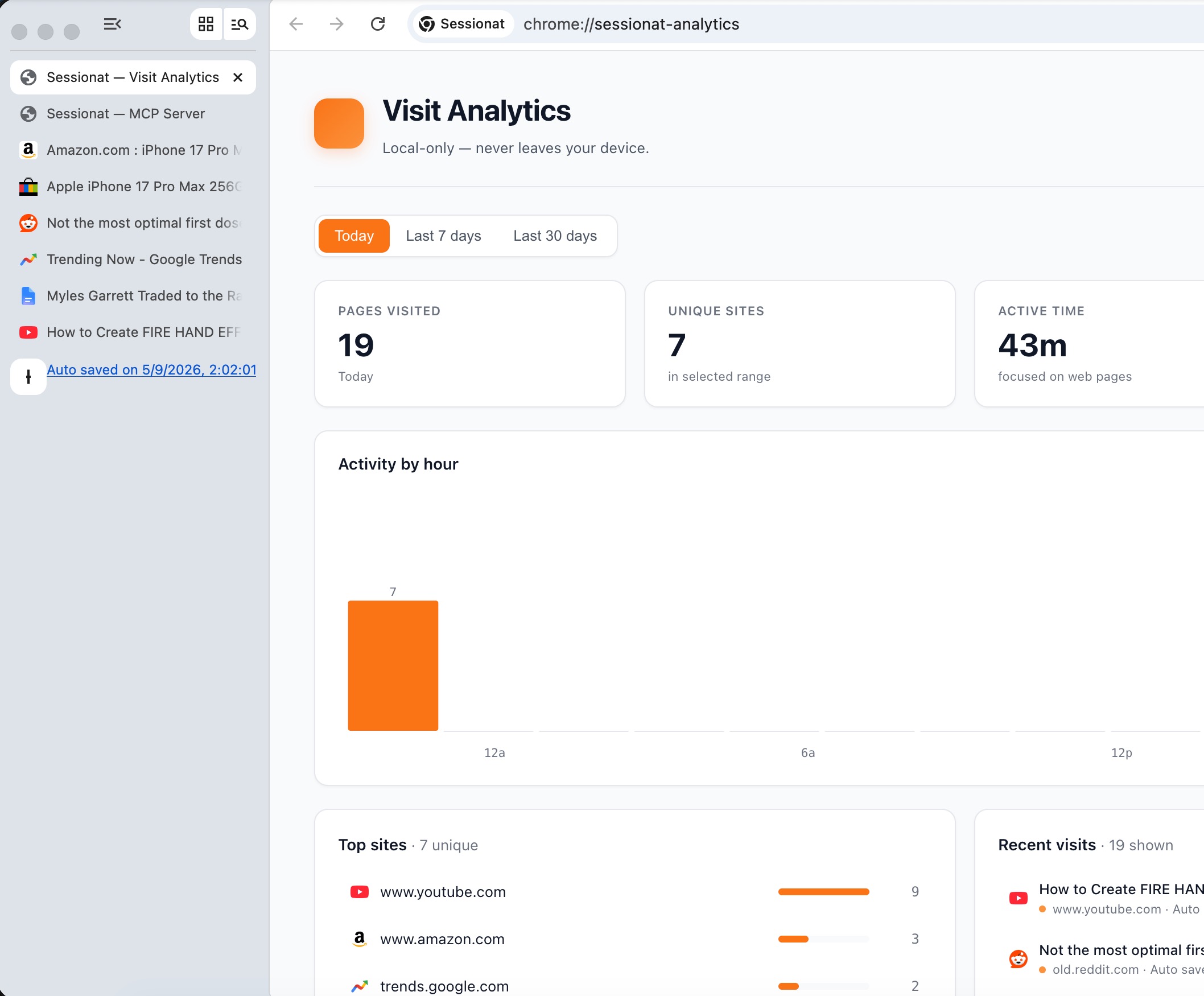
Sessionat saves a snapshot of every open tab, in every workspace, every 30 seconds and again each time you quit. Your browsing stacks up like a journal you can scroll back through.
  • Crash recovery, always on. Reopen exactly where you left off after a restart or a dead battery.
  • Name a session (“Q3 launch research”), close everything, and bring all 47 tabs back weeks later.
  • Scroll your history like a journal: what were you researching three Tuesdays ago?
  • Restore one tab, a few, or all of them.
  • Replaces Session Buddy, OneTab, Toby, and Workona. It is built in, and nothing leaves your Mac.
Restoring a named session of 47 tabs
And a great browser underneath

Everything you expect, nothing you don’t.

Workspaces

A vertical sidebar with separate tab sets. Cmd+1 to 9 to switch between Work, Personal, Research, each its own clean space.

ORGANIZE

Standard Chromium

Built on the same engine as Chrome. Every website loads and every Chrome extension installs, from uBlock to 1Password.

COMPATIBLE

Local and quiet

Your sessions and visit history live on your Mac. No telemetry, no tracking, and no account needed to start.

PRIVATE

Open source (MIT)

Read the code, fork it, or build your own browser on top. It is all on GitHub.

OPEN

Not ready to switch browsers? Sessionat also ships as a Chrome tab & session manager extension that auto-saves your tab groups and syncs across Chrome, Edge, Brave, and Arc.

Sessionat Anti-Detect

One AI agent? Free is enough. Many identities? That’s Anti-Detect.

Sessionat Free runs one real browser with your real identity. Sessionat Anti-Detect runs many fully isolated profiles, each with its own cookies and proxy, for agencies, multi-storefront sellers, and teams that manage many accounts. It is the only multi-profile browser with AI control built in.

FAQ

Straight answers about the browser.

How does the AI control work?
Sessionat speaks MCP, the open standard that AI tools like Claude Desktop and Cursor already support. You connect your AI client once, and it can drive the browser. Your AI runs on your own subscription; Sessionat does not charge per action.
Does the AI use my real logins?
Yes. It acts in the same browser you use, on the accounts you are already signed into. There are no cookies to inject and no separate setup, so your AI can run real errands on your own accounts.
How does auto-save work?
Sessionat snapshots every open tab, in every workspace, every 30 seconds and again each time you quit. You can reopen any past snapshot, save named sessions on demand, and restore one tab or all of them. It all stays on your Mac.
Is Sessionat really free?
Yes, the browser is 100% free, forever, and open source. Every feature here is in the free download. The only paid product is Sessionat Anti-Detect, a separate multi-profile browser for running many isolated identities.
Does my data leave my machine?
No. Sessions and visit history are stored locally on your Mac. There is no analytics service we run and no telemetry. Your AI can read your local history only with your permission.
Which platforms are supported?
macOS today, on every Mac from 2018 onward (Apple Silicon and Intel). Linux is targeted for mid-2026 and Windows for late 2026.

Give your AI the keys to your browser.

Free, open source, no account needed. Five minutes, zero commitment.

Download for Mac (free)